
UrMac Free
$0
Monitor your Mac.
- Core system and menu-bar monitoring
- Application monitoring and basic history
Mac Performance Intelligence
Understand performance, see what changed, and explore what your Mac is telling you, from live activity to recorded history.
Overview
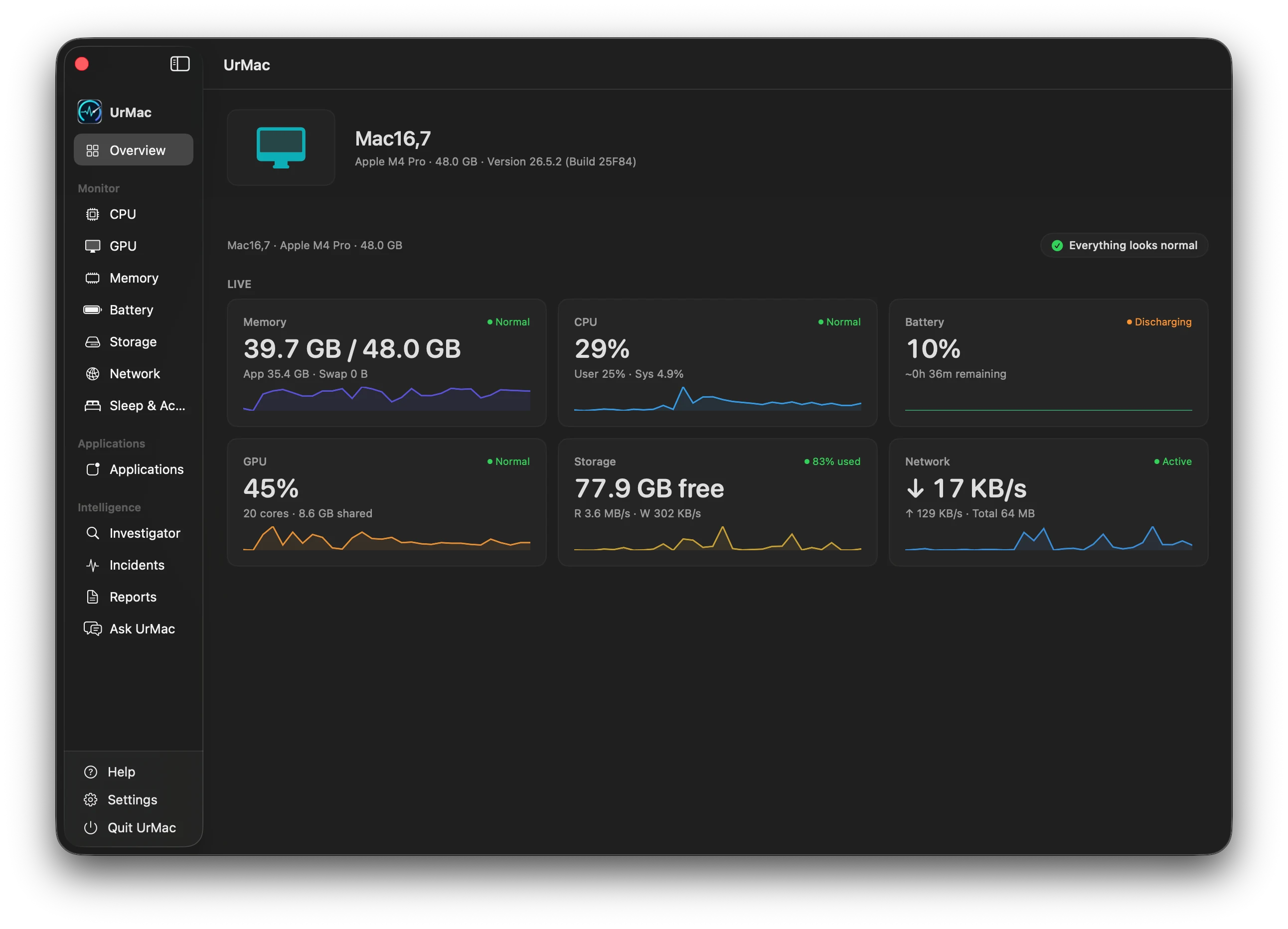
UrMac gathers your Mac's available monitoring information into one calm window. Start with the whole picture, then open any resource for the detail behind it.
Your Mac's model, chip, memory, and macOS version sit at the top, so every reading has context.
Memory, CPU, battery, GPU, storage, and network appear side by side with a recent trend for each.
Live values update as you work, from processor load to download and upload rates.
Each resource carries a plain status, and a summary tells you when everything looks normal.
Monitor
Seven views, one consistent way of reading them: what is happening now, how it compares with recent history, and what is behind it.
01CPU
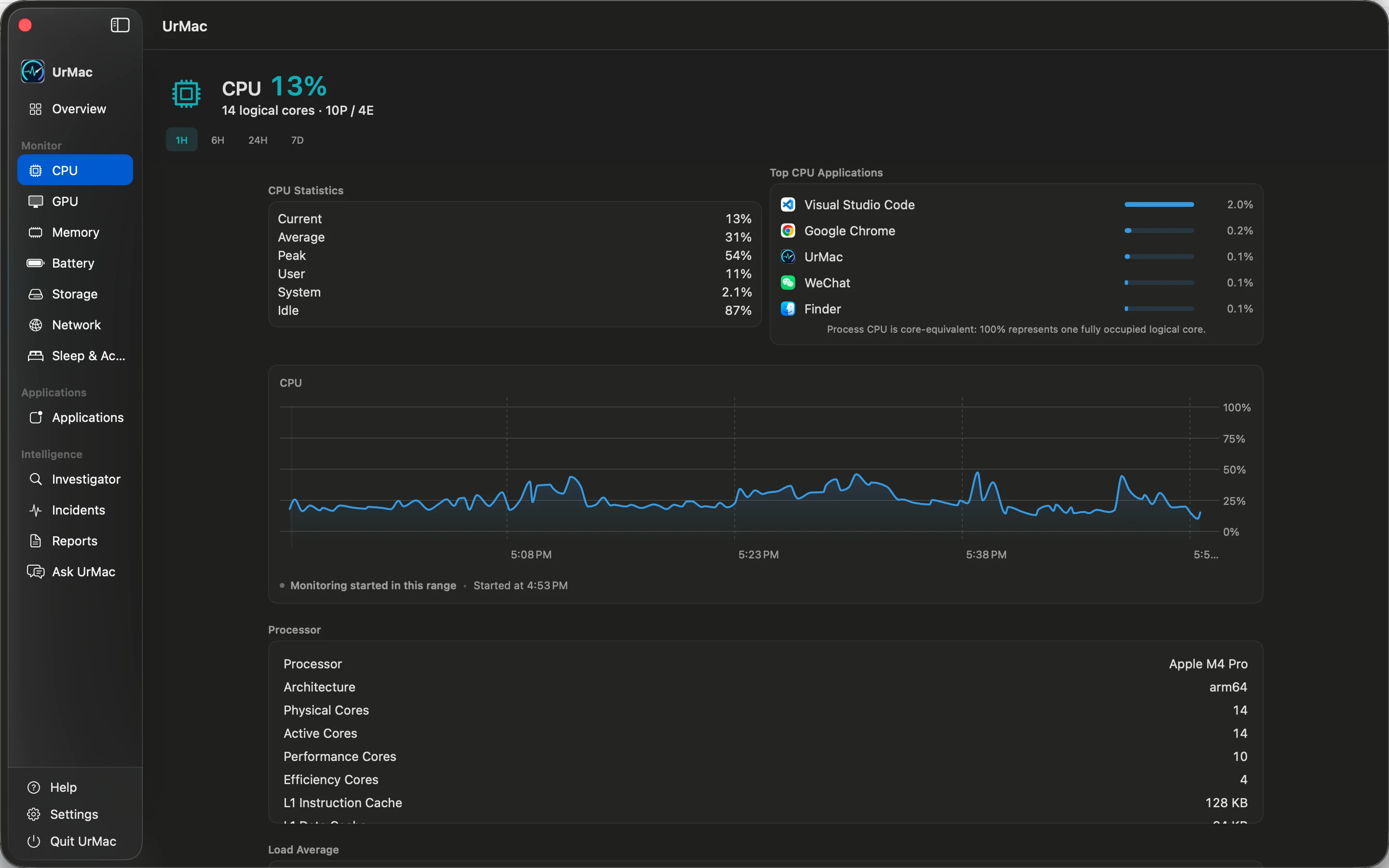
Follow total CPU utilization over time, separate user and system activity, and see the applications using processor time. Put a busy moment in the context of your processor and its recent history.
02GPU
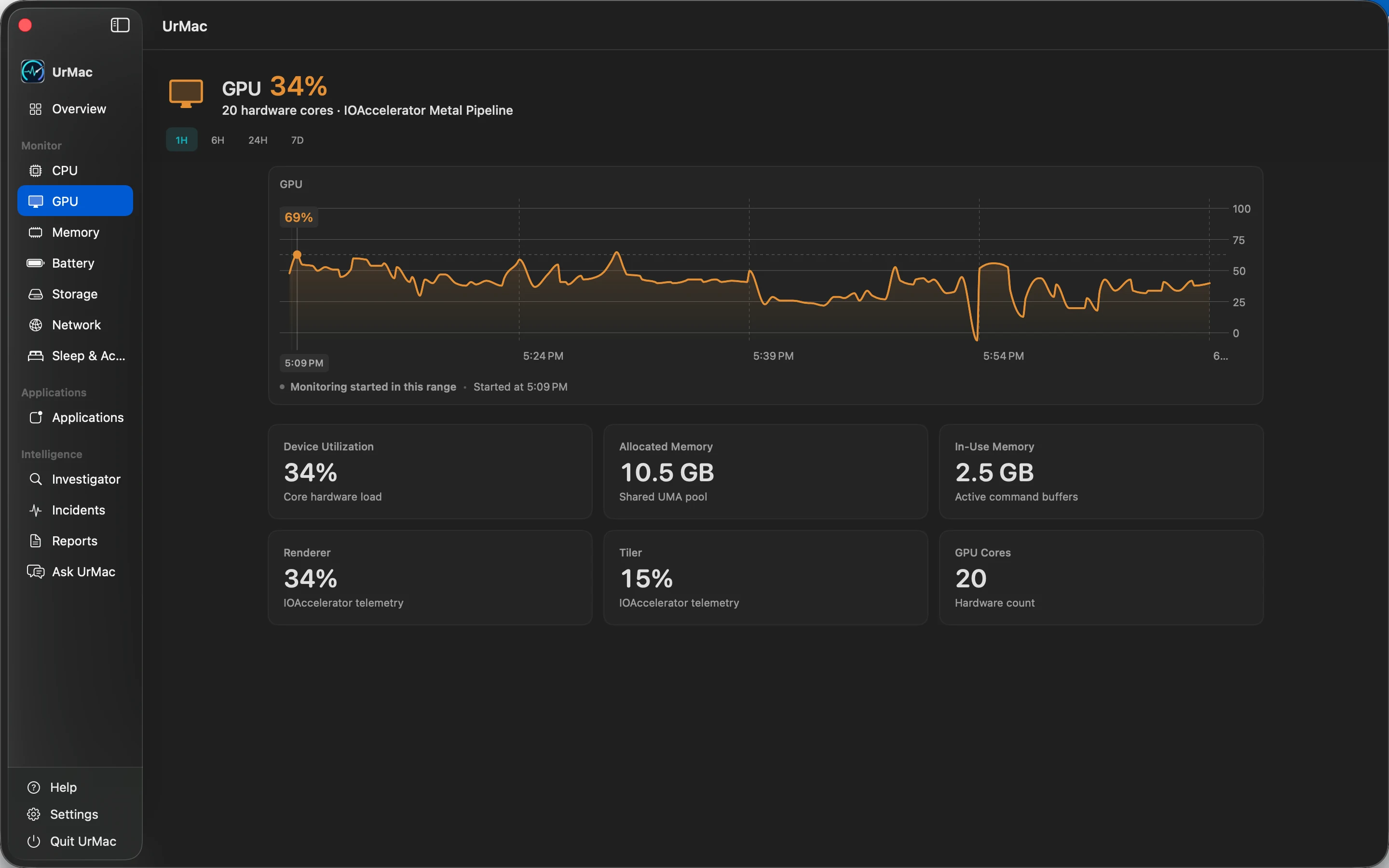
See GPU utilization alongside recorded history and graphics hardware details. Compare current activity with earlier periods to understand when your graphics workload changes.
03Memory
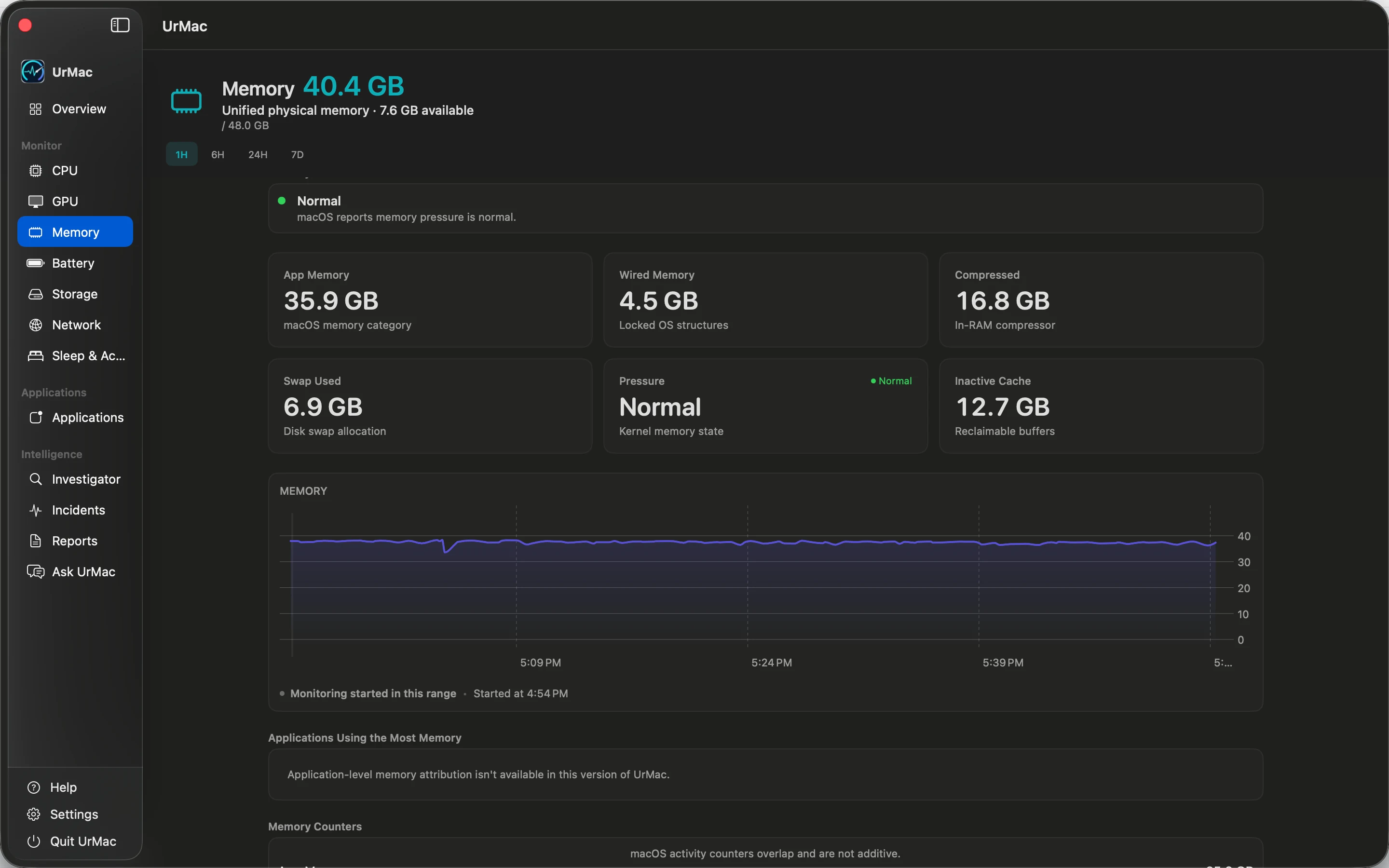
Read memory pressure alongside used and available memory, swap, and application usage. Historical context helps you distinguish a momentary increase from a change that persists.
04Battery
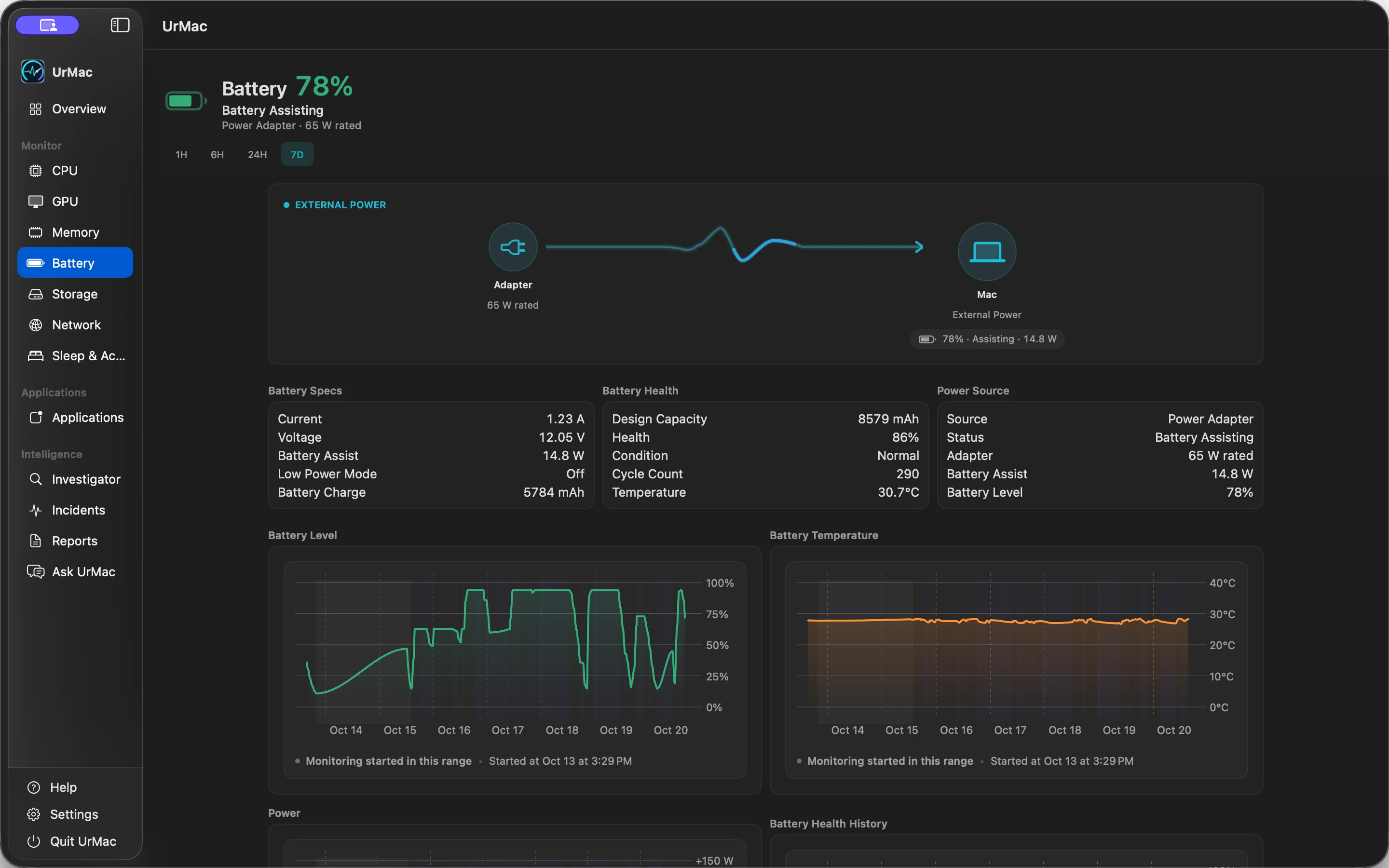
Keep charge level, battery health, charging state, and available power readings in view. Understand whether your Mac is charging or drawing from its battery, with recorded history for context.
Available readings depend on your Mac and the telemetry it provides.
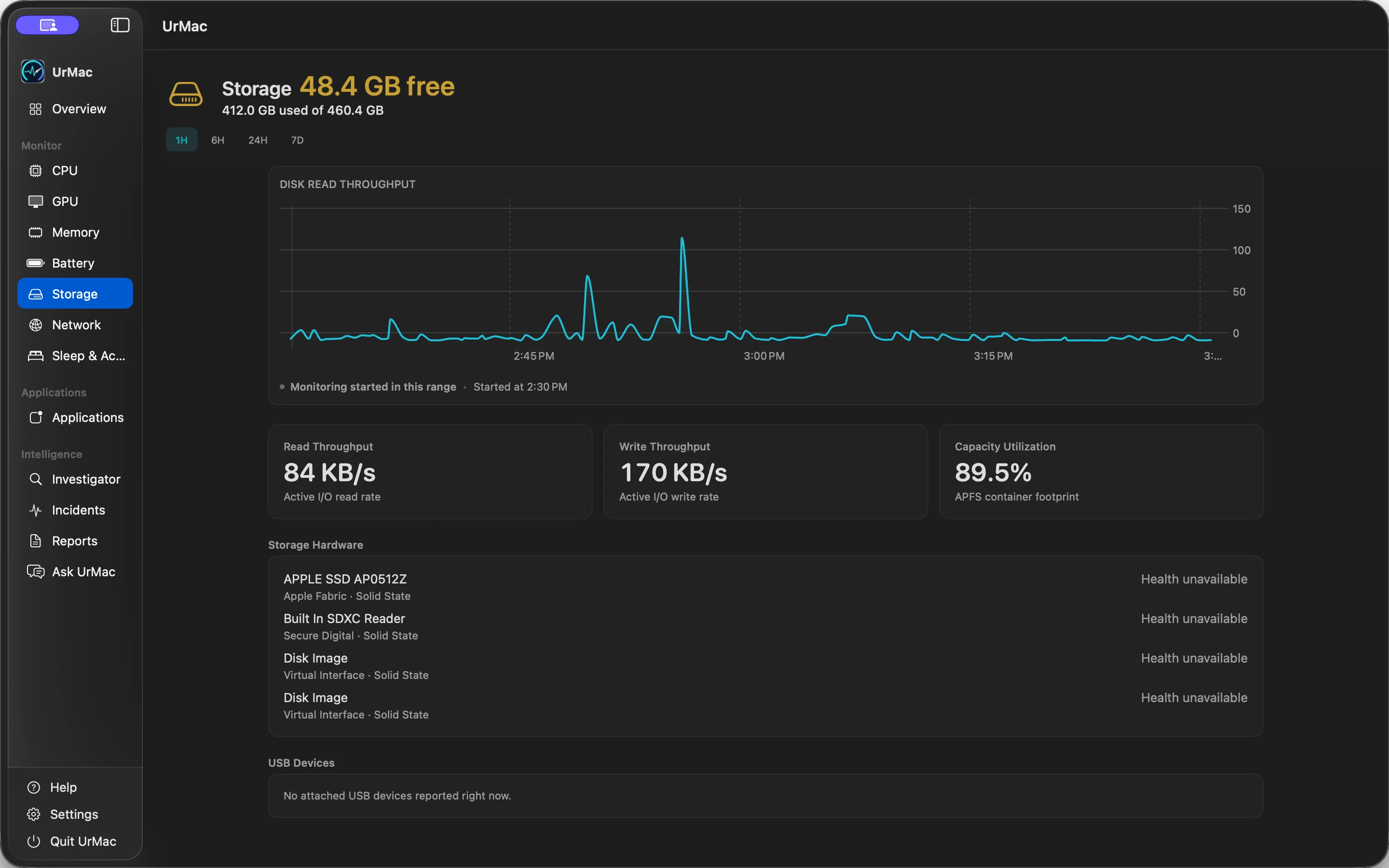
05Storage
See free and used capacity together with read and write throughput. Recorded disk activity gives you context for busy periods, while capacity shows how much room remains.
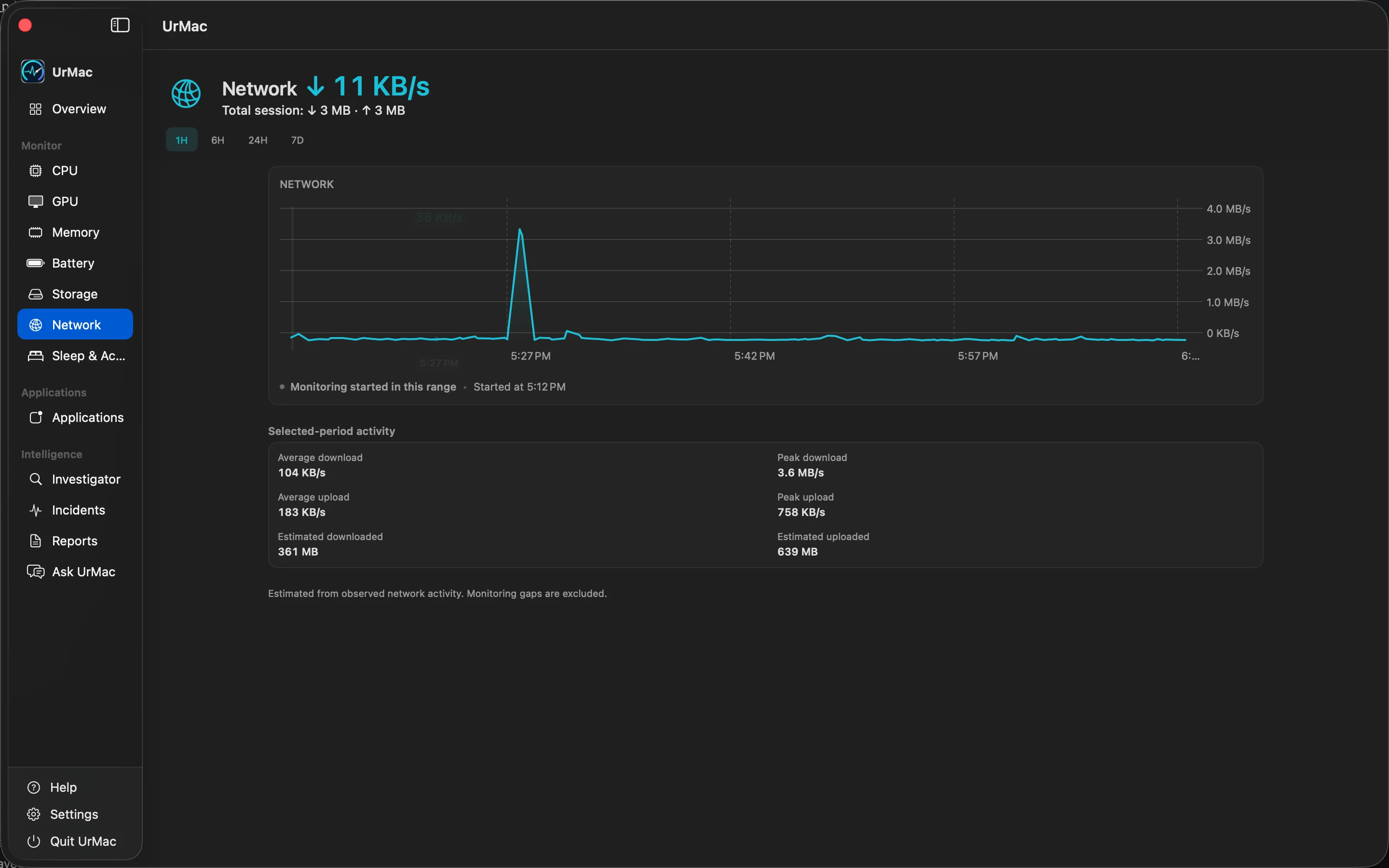
06Network
Follow your Mac's download and upload activity through recorded history. Selected-period averages and peaks help you compare traffic across time without attributing it to individual applications.
Period summaries use continuous recorded samples. Missing intervals are not counted as zero traffic.
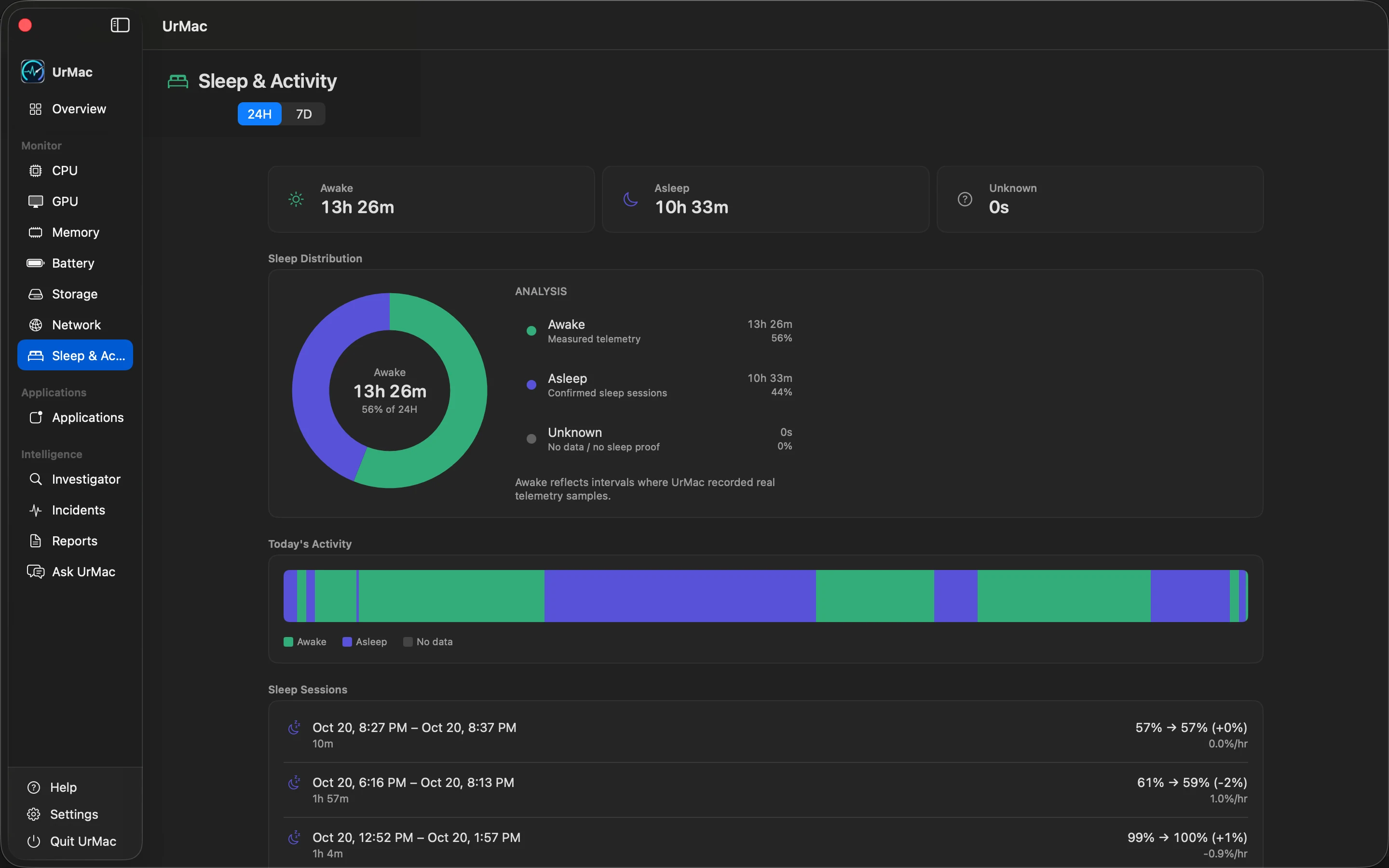
07Sleep
Review awake, asleep, and unrecorded periods, then compare sleep-session duration with recorded battery changes. See what was recorded while your Mac moved between work and rest.
Sleep and wake activity is logged. Sleep-loss investigation is not currently listed as an available incident type.
Monitor feature 01 of 07
Applications
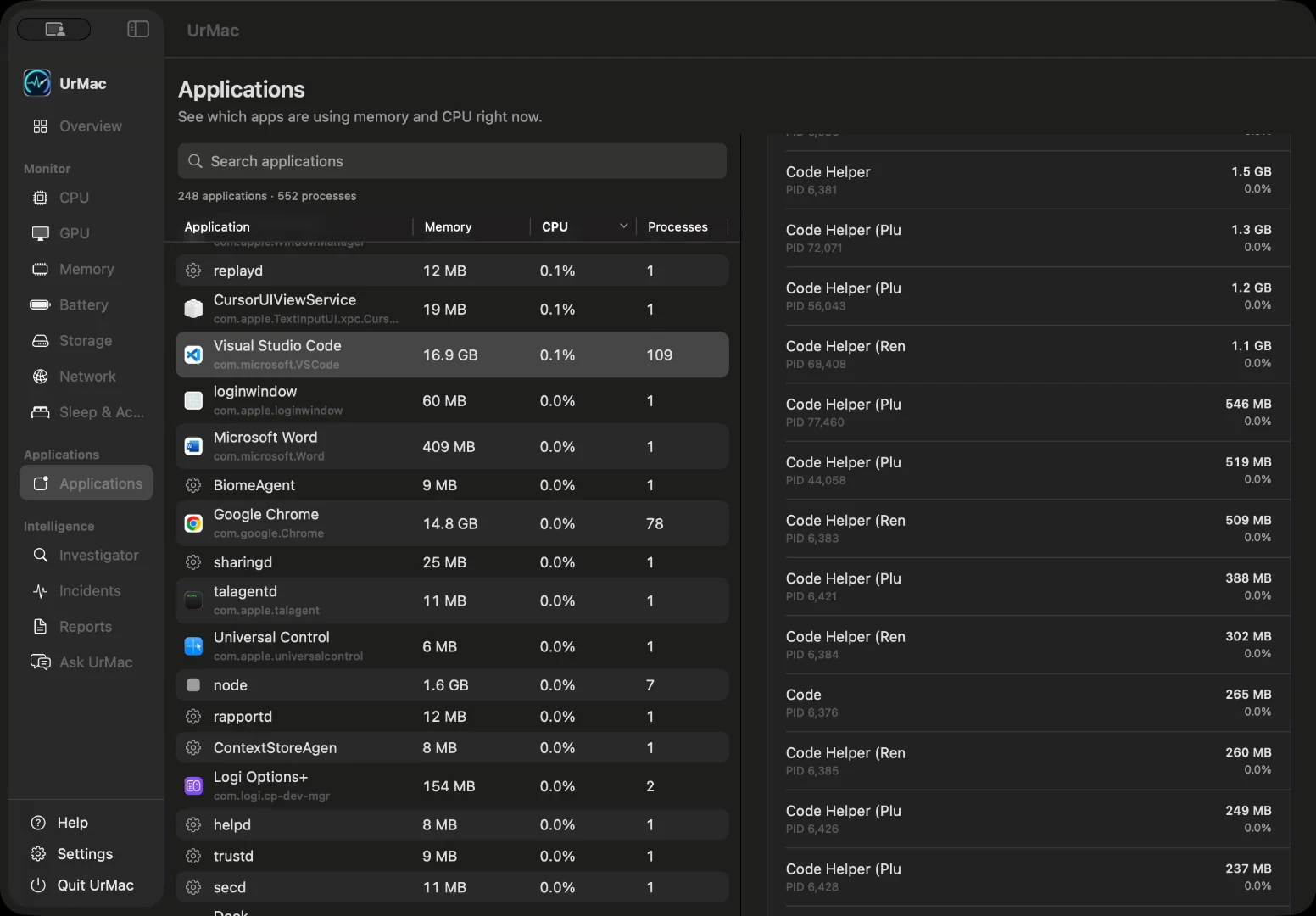
See which applications are using your processor and memory right now. Sort by what matters, find an app by name, and open it to inspect the processes behind it.
Intelligence
UrMac Pro turns recorded history into evidence you can review, compare, and keep. UrMac AI is coming soon.
01Investigator
Bring recorded findings, historical baselines, and associated application activity together. Review the evidence, confidence, and available recommendations before deciding what deserves attention.
Pro feature. Associated activity is context, not proof of cause.
Explore UrMac Intelligence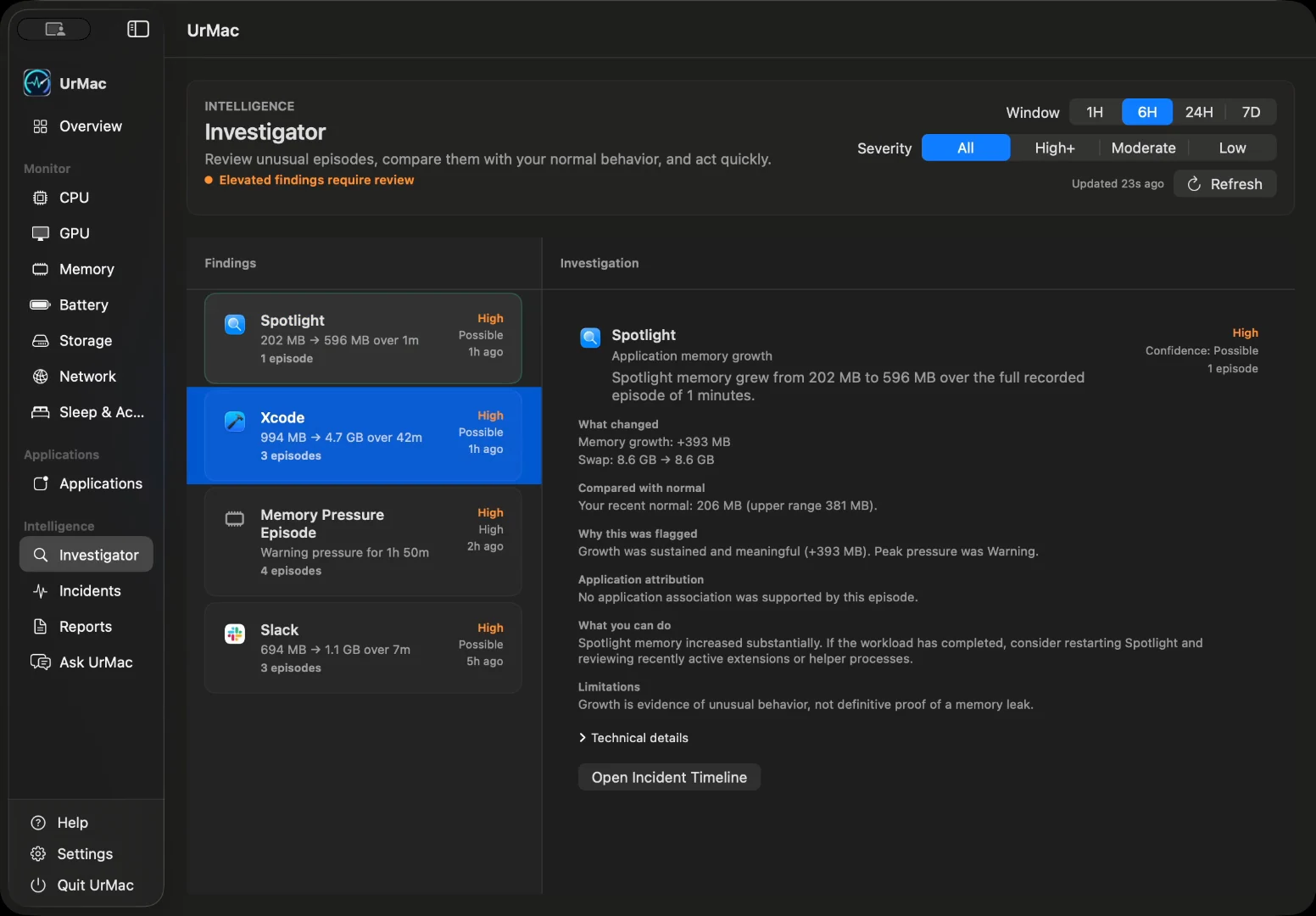
02Incidents
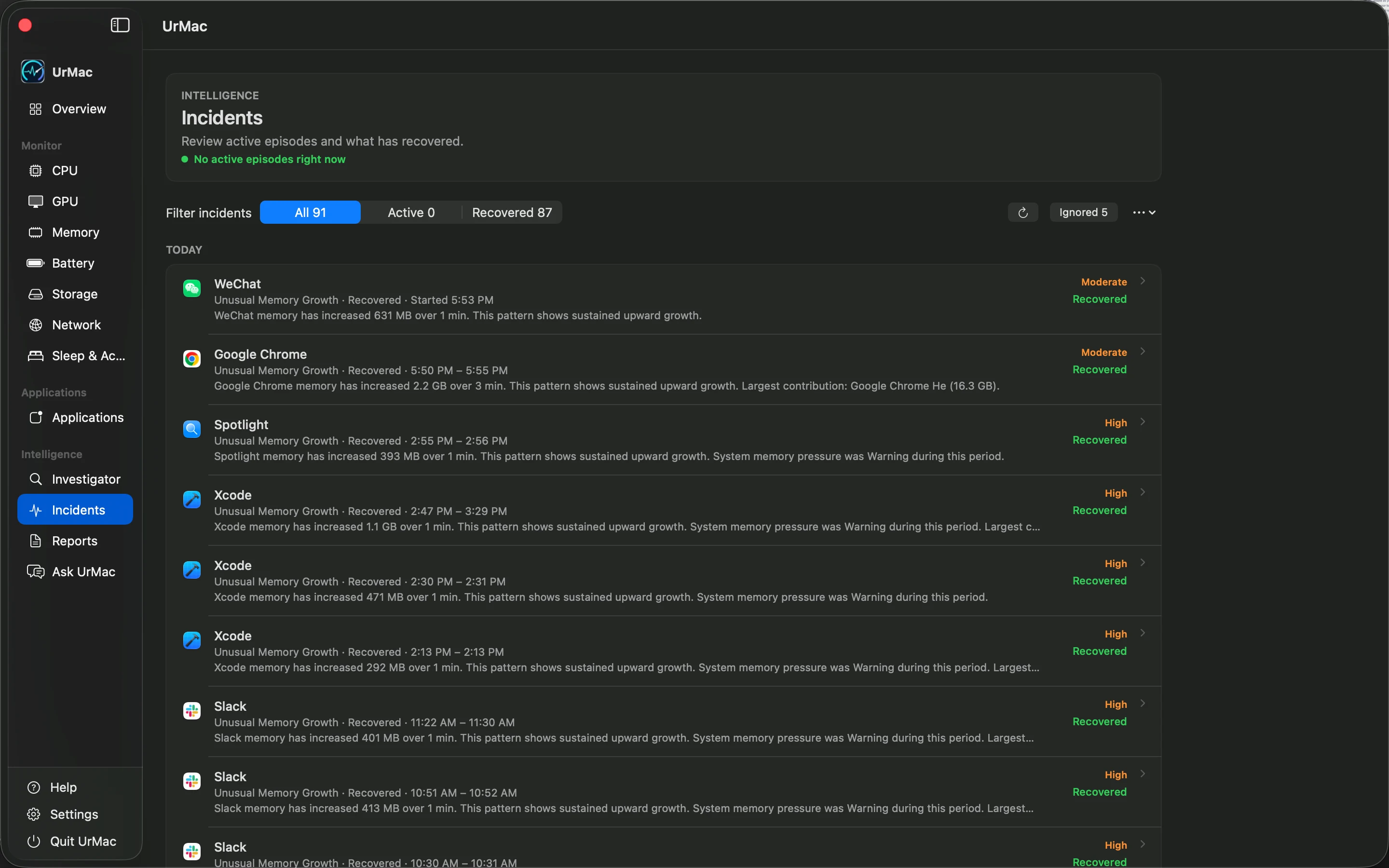
Review recorded performance incidents with their time window, severity, confidence, and related application evidence. Follow the timeline and available before, peak, and after context to understand the change.
Pro feature. Detection depends on available evidence; not every slowdown becomes an incident or has a confirmed cause.
03Reports
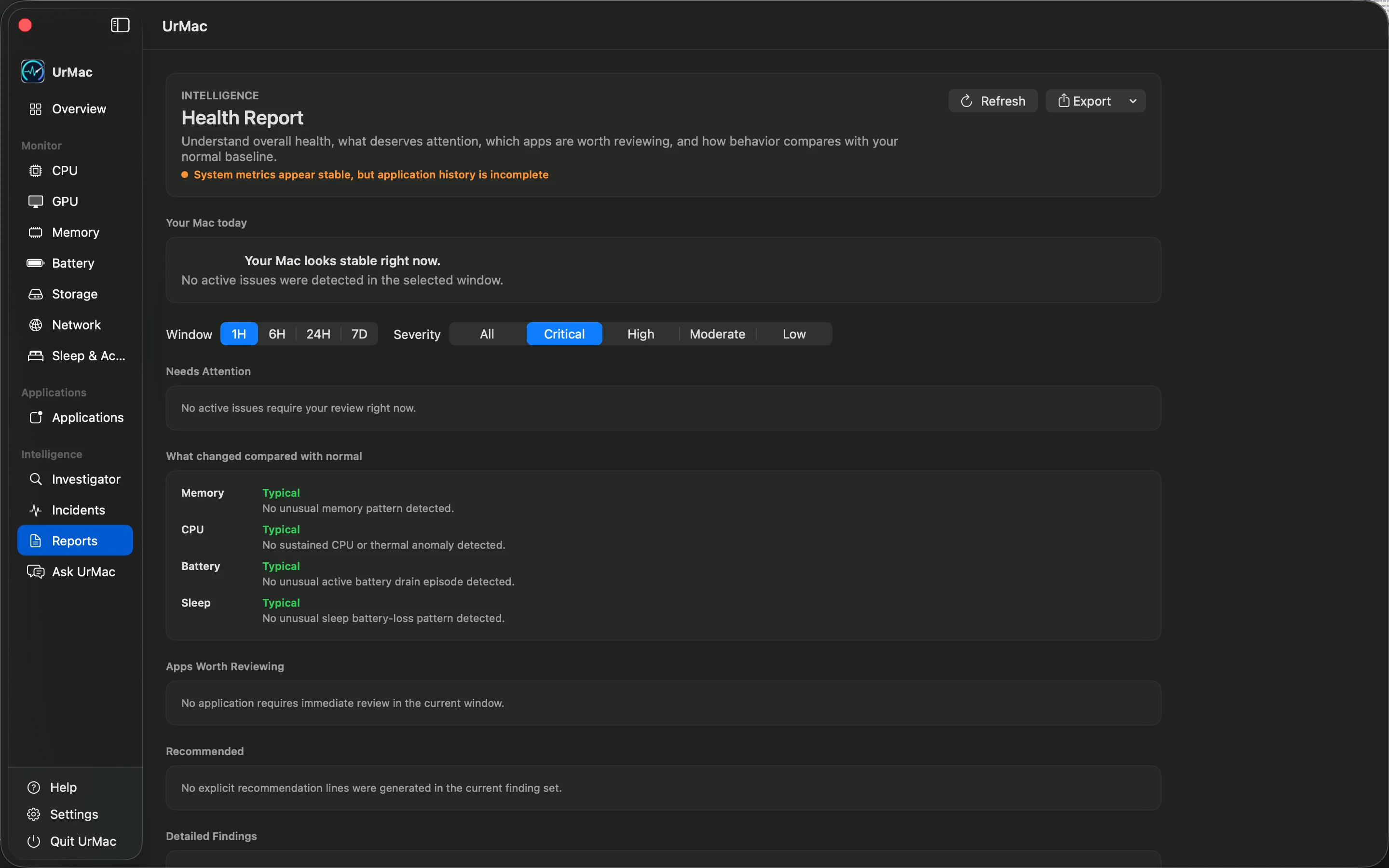
Review findings and incidents for a selected time window, filter by severity, and revisit the available recommendations. Export a report as text, CSV, or JSON to keep a record for later review.
Pro feature. Reports reflect the history and evidence available for the selected period.
04Ask UrMac
In a future release, ask questions grounded in bounded, structured context from your Mac's recorded activity, incidents, and baselines. Answers will depend on the evidence available, rather than an assumed explanation for every change.
Coming Soon. Includes UrMac Pro features while subscribed. AI-powered answers will be available in a future release. UrMac AI is not part of the initial app launch.
Explore UrMac Intelligence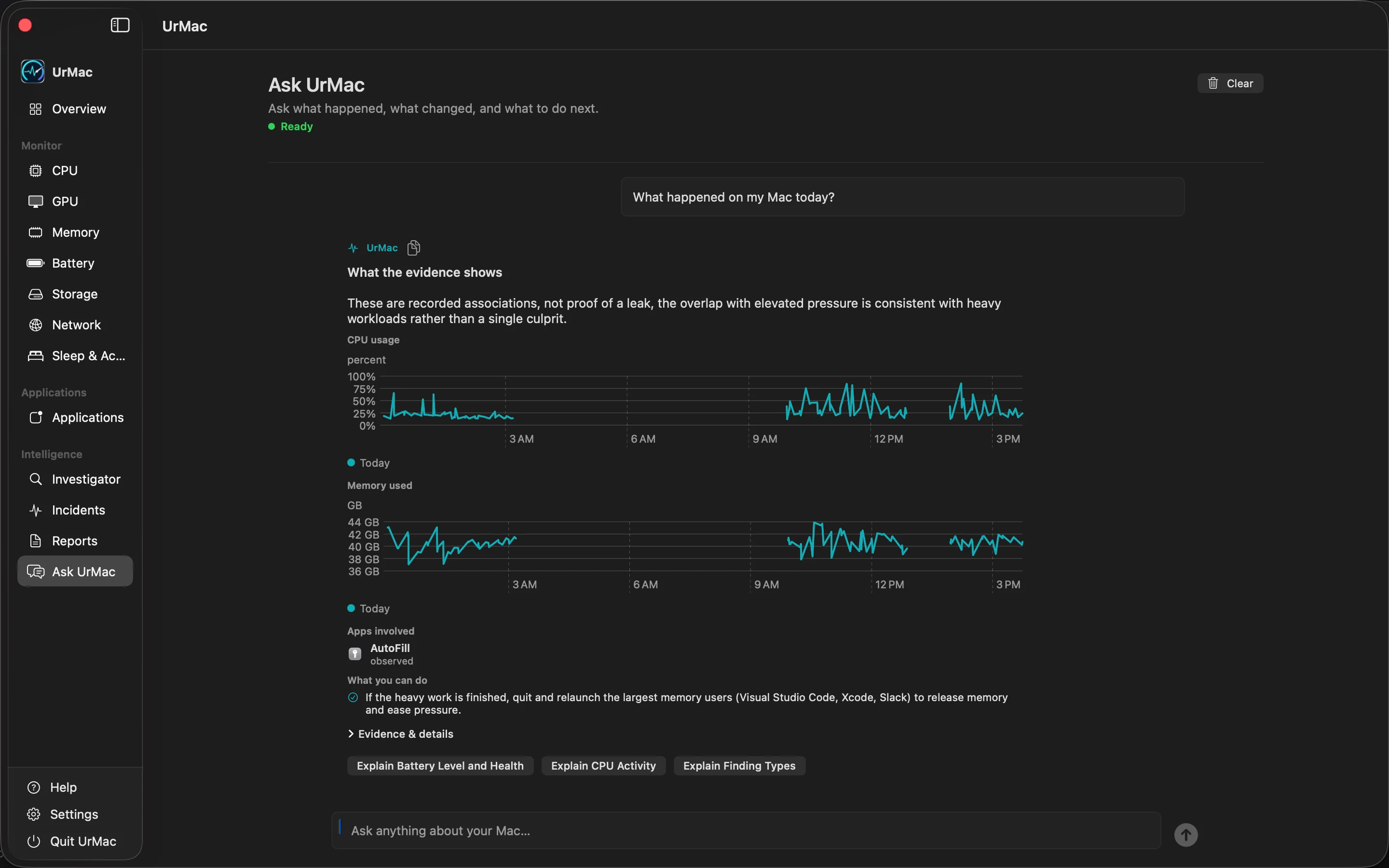
Intelligence feature 01 of 04
Pricing
UrMac Free
$0
Monitor your Mac.
UrMac Pro
$24.99
One-time purchase. Permanent ownership.
UrMac AI
$7.99/month
Coming Soon
Future subscription offering.
Start with free monitoring. Add UrMac Pro for deeper investigation at launch. AI-powered answers are coming soon.